Understanding OCR prices
What counts as a page?
One image usually counts as one page. Its cost depends on the engine, the image, and the amount of text the engine returns.
Count pages in your document
One image counts as one page. Each page in a PDF counts separately: a 10-page PDF contains 10 pages, even though you upload one file. A short receipt, a dense spreadsheet, and a full-page scan can each count as one page.
For billing, a page has no standard word count or pixel dimensions. It can be any paper size, including A4 or US Letter. A very long screenshot can still be one image, with much more content than a typical document page.
Our price estimates do need a yardstick. Wherever a token-billed price carries an asterisk (*), it is for a standard page: about 1,800 characters including spaces, or roughly 250–300 words of ordinary text. You are still billed for what each real page uses, so a sparse page costs less than the estimate and a dense page or a table costs more. Why a dense page can cost more, with real numbers.
For API integrations, set page_count for the pages you want to process. The router defaults to 1 when you omit it; on PDF-to-image processing paths, that can limit extraction to the first page. The router does not convert image dimensions into an equivalent number of paper pages. See PDF support for document handling.
See what one page can look like
Each of these benchmark images counts as one page. Their dimensions, layout, and amount of text differ. Select an image to view it at full size.
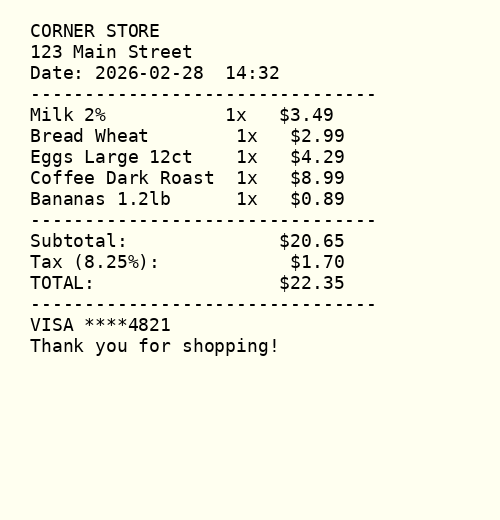
A receipt
1 image · 500 × 520 pixels
A short list of items produces a relatively short transcription.
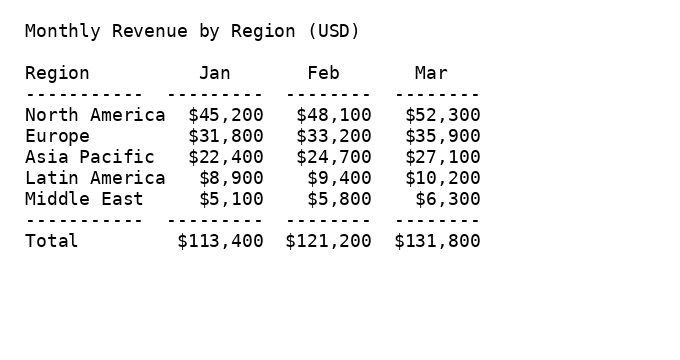
A table
1 image · 680 × 360 pixels
Preserving rows and columns can require additional output formatting.
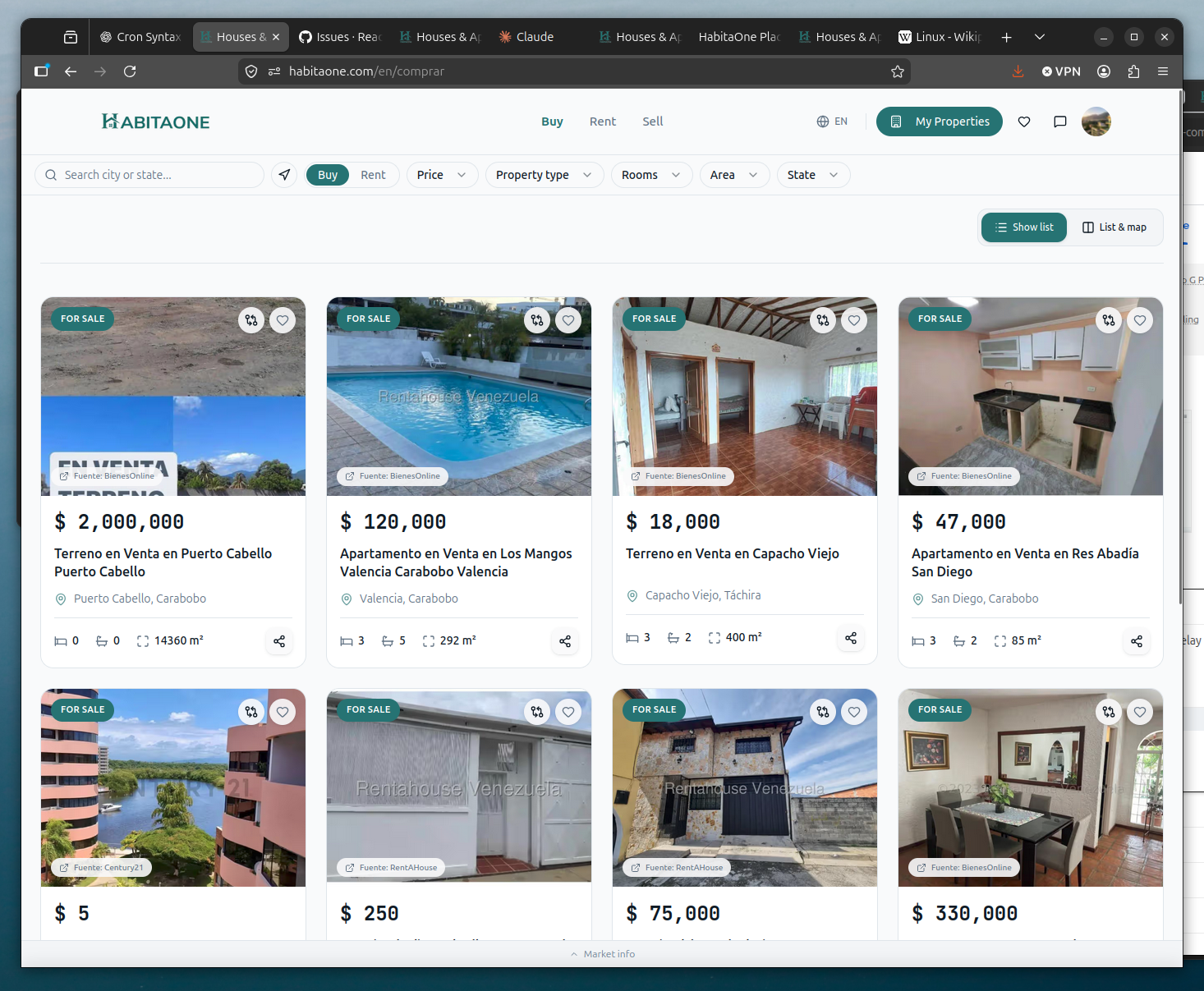
A website screenshot
1 image · 1,466 × 1,207 pixels
Small labels mixed with photographs can be harder to read after resizing.
The receipt and table are synthetic benchmark fixtures. The screenshot is a benchmark fixture from a real website. These previews illustrate input differences; they do not show OCR results or measured prices.
Compare billing methods
An engine can accept a page as input and still charge by usage. Check whether the engine bills per page, by resolution, or by tokens.
Page-billed OCR
The price is tied to the number of pages processed. Within the engine’s supported limits and selected pricing tier, a page with more text generally costs the same as one with less text.
Some engines use resolution or feature tiers. A fixed page price still has input limits; it isn’t a promise to accept an image of any size.
Token-billed LLMs
The charge depends on token usage. Tokens are units that a model uses to process input and generate a response. Image input, instructions, and generated text contribute to that usage. Some models also charge for reasoning tokens.
Image resolution and provider image processing can affect input usage. Dense text, tables, and long responses can increase output usage. Two pages can therefore have very different costs. See real numbers.
What to expect from different documents
| Your input | Page count | What can change |
|---|---|---|
| A short receipt | 1 image | A short transcription uses fewer output tokens, but the model still processes the image and instructions. |
| A dense table | 1 image | More text and table formatting can require more output tokens. A fixed page rate stays the same within its tier. |
| A long screenshot | 1 image | Resizing can shrink text until it is unreadable. Other engines use more image tokens or reject the dimensions. |
| A collage of 4 scans | 1 combined image | Combining scans does not preserve each scan’s detail. Sending 4 separate images can improve readability but creates 4 inputs. |
| A 10-page PDF | 10 document pages | An engine may read the PDF directly or receive rendered page images. Supported page limits and rendering settings depend on the route. |
These are expected behaviors, not measured prices for these examples. Check the output as well as the charge: a cheap result that omits text is not a successful extraction.
Handle large images
A large image may still count as one page. The engine’s input rules determine what happens next:
- The engine checks its limits. A file can be small enough to upload but exceed the engine’s pixel dimensions or supported format. The request can fail before OCR starts.
- The engine prepares the image. Some vision models resize it to fit a resolution budget. Others divide it into patches or tiles that consume image tokens. The exact rule depends on the model and its settings.
- The engine reads and returns text. For an LLM, the response adds output-token cost. A dense page can reach the output limit before the full transcription is returned.
For example, if a 1,000 × 10,000-pixel screenshot is reduced to a 2,000-pixel longest edge, it becomes 200 × 2,000 pixels. Text that was 20 pixels tall becomes 4 pixels tall. This is an illustration of proportional resizing, not a universal OpenOCR limit. A larger upload can therefore lose detail without producing a proportionally larger bill.
Original text crop
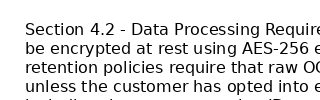
After resizing to 20%

The playground has a 10 MB file-size limit. Compressed file size is different from pixel dimensions, so this is not a universal limit on image complexity or cost. OpenOCR does not currently apply a single image-size standard across every engine.
To preserve readable text, crop empty borders and avoid excessive image compression. Split a long screenshot or a collage of several documents into sensible sections when needed. Those sections become separate inputs and may increase the total charge; splitting is not automatically cheaper.
Why LLM costs vary on the same page
A token-based charge combines the model’s input usage and output usage at their respective rates. Image tokens are only part of the input. Instructions also consume tokens, and some models include billable reasoning in their usage.
Transcribing a table into Markdown can require more output than returning a single field from that table. Changing models or output requirements can change the charge even when you send exactly the same image. A lower image resolution may reduce input usage, but it does not guarantee a shorter response or an accurate transcription.
If the model reaches its output-token limit, OpenOCR’s LLM adapter can return partial text with a truncation warning. Check warnings before treating a response as complete. Retrying the whole page can add another charge.
Interpret pages per dollar
Higher means more pages for your money. The ~ marks an estimate or a rounded quantity. It is not a guaranteed allowance or a maximum bill.
~850 pages / $1*
Illustrative example: about $0.0012 per standard page. Pages with less text give you more pages per dollar; dense pages and tables give you fewer.
For an initial budget, assume your densest pages hold two to three standard pages' worth of text, and test a few before a large batch.
For token-billed models, the estimate (marked *) prices one standard page of about 1,800 characters at the model’s current token rates, using the image size we have measured for that model. Hovering or tapping the asterisk explains it, and the engine page also shows the range of costs we have measured on real pages. The published accuracy comparison uses a fixed 11-document corpus, including receipts, scans, and a screenshot. It cannot represent every upload. See the benchmark documents to judge how closely they match your work, and why a dense page can cost more for how much real pages vary.
For a fixed-price engine, pages per dollar is the reciprocal of its per-page price. For example, $0.002 per page is 500 pages per $1. Use the engine’s per-page price to calculate a fixed-rate budget.
Estimate your total cost
If you process 10 pages with 20 models, you pay for 200 page-processing operations. Repeating the comparison adds another 200. Expensive models can account for most of the spend, even when you only uploaded a few documents.
Before you process a large batch, test a small selection of your own documents. Include the largest and densest pages, then check the actual charges. To calculate your observed pages per dollar, divide the total number of pages processed by the total amount charged in dollars. Don’t average the displayed rates of different models.
OpenOCR’s benchmark admission policy skips models with a reference cost or recorded provider cost above $0.10 per page, and blocks models without usable cost evidence. It is a benchmark spending rule, not a customer price cap. An unexpectedly expensive first response can exceed the estimate.
Technical behavior checked October 4, 2026. Model limits and supported settings can change.