Why Photographing a Document Still Breaks Most OCR Models
Based on: NaviDC-OCR: Navigating Document Parsing Across Digital and Camera-Captured Documents — Peng Cai, Zhaofan Zou, Shifa Liu, Yikun Wang, Jiawei Tang, Kaicheng Yang, Meng Tong, MingKun Jiang, Zhongjiang He, Hao Sun
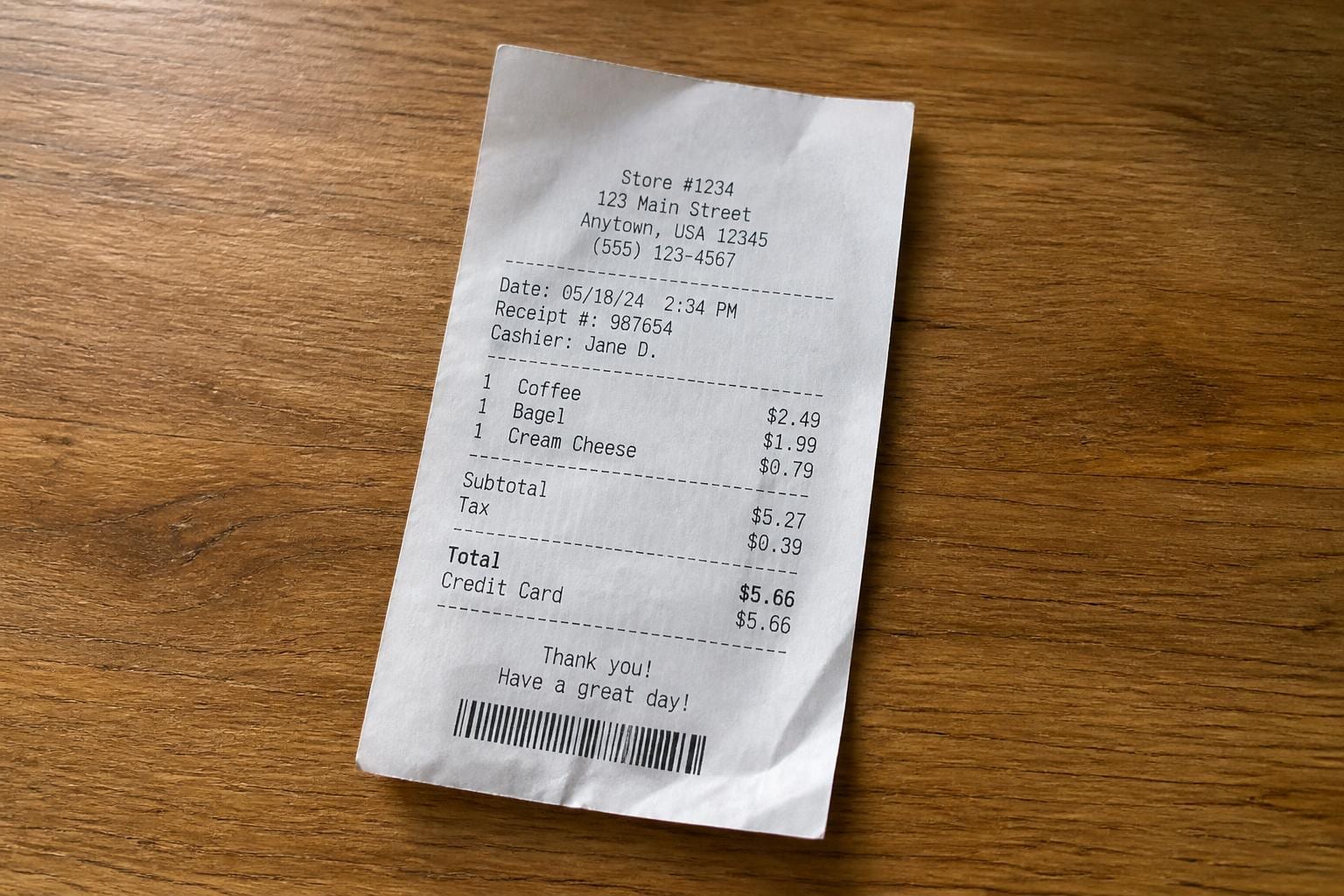
Take out your phone right now and photograph a receipt lying on your desk. Not scan it, photograph it, the way you'd do for an expense report or a tax app. Look at the result: the paper curls slightly at the edges, one corner is a little closer to the lens than the other, and the text near the fold bends just enough to throw off a straight line. Nothing about it looks broken to your eyes. To most OCR systems, it's a minefield.
That gap between "documents as scanned in a lab" and "documents as photographed in real life" is the problem a new paper called NaviDC-OCR tackles head on. The name stands for Navigating Document Parsing Across Digital and Camera-Captured Documents, and the team (researchers from a mix of Chinese AI labs, based on the affiliations) built one model meant to handle both cases well, instead of quietly degrading the moment a document stops being flat and perfectly lit.
Two ways to build a document parser, and why both have a catch
Modern document parsing, the task of turning a page image into structured text, tables, and formulas a computer can actually use, mostly follows one of two playbooks.
The first is what the paper calls the decoupled approach. You run layout analysis first: find the text blocks, tables, and figures, draw boxes around them, then feed each box into a recognition model to extract the actual content. It's a clean division of labor, and it works well when the input is a flat scan. The catch shows up with camera photos. If a page is warped, tilted, or partly shadowed, the layout detector draws the wrong boxes, and every downstream step inherits that mistake. A slightly curved table row gets clipped into two boxes; a paragraph that bends around a spine gets split in the wrong place. Get the geometry wrong at step one and nothing after it can fully recover.
The second playbook is end-to-end: skip explicit layout detection and have a single vision-language model (a VLM, a neural network that takes an image and produces text, the same family as the models behind modern chatbots' image understanding) read the whole page and generate structured output directly. This sidesteps the cascading-error problem, but trades it for a different one. At high resolution, these models tend to ramble: repeating lines, inventing content that isn't on the page (hallucination), or losing track of where they are in a dense layout. Feed a model a full page of a two-column paper with an inline formula and a table, and it doesn't always know where one section stops and the next begins.
Both failure modes come from the same root cause: text on a page is not just characters, it's characters sitting inside a geometric structure, and that structure gets harder to read the moment reality intrudes on it.
Teaching the model what "warped" actually looks like
NaviDC-OCR's first fix is something the paper calls deformation-aware learning. The idea is to explicitly train the model to perceive geometric distortion, curl, tilt, perspective skew, the kind of thing a camera photo introduces that a flatbed scanner never does, rather than hoping the model picks it up as a side effect of seeing enough photos.
Think of the difference between a person who's only ever read printed pages held flat under glass, and one who's spent years reading books held at odd angles on a bus. The second person has built an intuition for "this line is actually straight, it just looks curved because of how the page is bending." That's the kind of prior NaviDC-OCR is trying to bake in directly, instead of leaving it to chance.
The second piece is an adaptive sampling mechanism for complex layouts. High-resolution document images are expensive to process in full detail, so most VLMs downsample or tile the image before feeding it to the model. A uniform grid treats a dense table and a wide margin the same way, which wastes resolution on blank space and starves the parts that actually need it. Adaptive sampling instead allocates more attention to visually complex regions, tables, formulas, cramped multi-column text, and less to simple ones. It's the visual equivalent of skimming a report: you don't read the white space at the same speed as the spreadsheet buried on page 12.
Formulas and tables aren't just text with an unusual shape
The third contribution addresses something that trips up a lot of end-to-end OCR systems: formulas and tables aren't prose. A formula has grammar, in the sense that the arrangement of symbols encodes meaning; a fraction bar means something structurally different from a superscript. A table has rows, columns, and merged cells that define relationships between values, not just a sequence of characters.
Models trained mostly on flowing text tend to treat these as harder-to-read text and generate plausible-looking nonsense when they get confused, a wrong exponent, a shifted decimal, a table cell that quietly merges into its neighbor. NaviDC-OCR's answer is content-structure decoupled learning: train the model to separately reason about structure (this is a 4x6 table, this is a fraction with this numerator and denominator) and content (what the actual characters are), rather than mashing both into one generation task. It's a bit like separating "what shape is this building" from "what's written on the sign out front" instead of asking one glance to answer both at once.

What the benchmark numbers actually show
The paper reports scores on three benchmarks: 96.87 on OmniDocBench v1.6, 88.53 on Wild-OmniDocBench, and 78.41 on PureDocBench. It also claims first place in the ICDAR 2026 Sci-ImageMiner Challenge, an international competition track for document and scientific-image parsing.
OmniDocBench is a well-established benchmark covering a broad mix of document types, academic papers, textbooks, exam sheets, financial reports, and it evaluates both layout detection and text recognition together. A score in the high 90s there means the model is doing very well on the kind of documents that look close to the training distribution most parsers are optimized for.
The interesting number is the drop to 88.53 on Wild-OmniDocBench. Given the name and the paper's stated focus on camera-captured documents, this is almost certainly the harder, real-world-photo variant: the curled receipts, off-angle book pages, and inconsistent lighting that decoupled layout pipelines choke on. An eight-point gap between the clean benchmark and the "wild" one tells you something the abstract's headline numbers don't: even a model purpose-built for this problem still loses ground when the input gets messy. That's not a knock on the paper, it's an honest signal about how much harder the camera-capture case really is, and it's worth remembering the next time a vendor claims "human-level OCR" based on a scanned-document benchmark alone.
PureDocBench is the one I can't fully explain from the abstract. The name suggests clean, non-distorted documents, which makes the lower score (78.41, below even the "wild" benchmark) genuinely surprising if that reading is right. It's possible PureDocBench targets a different kind of difficulty entirely, denser scientific layouts, harder formula and table content, rather than distortion. Without the full paper's benchmark descriptions in front of me, I'd treat that number as a flag to dig into rather than a settled fact, and I'd want to see what document types actually make up that set before drawing conclusions from it.
Why it matters for anyone building or choosing an OCR pipeline
If you're building a product that ingests documents from users, invoices photographed on a phone, IDs scanned at an angle, receipts submitted through a mobile app, the decoupled-versus-end-to-end distinction in this paper isn't academic. It explains a failure mode you've probably already seen: a parser that works beautifully in your test suite of clean PDFs and falls apart the moment real users start uploading photos from their phones.
A few practical takeaways:
- Test with camera photos, not just scans. If your evaluation set is all flatbed scans or clean PDF exports, you're measuring the easy case. The gap between OmniDocBench and Wild-OmniDocBench in this paper (96.87 versus 88.53) is a reasonable proxy for how much performance you should expect to lose on real-world input.
- Watch for cascading layout errors specifically. If you're using a decoupled pipeline (layout detection, then recognition), a garbled table or missing paragraph is often a layout bug wearing a recognition-error costume. Debug the boxes before you debug the text.
- Formula- and table-heavy documents need scrutiny beyond eyeballing. A model can produce a table that looks right at a glance but has a subtly wrong row-column mapping, exactly the failure content-structure decoupling is meant to reduce. If your use case involves financial tables or scientific formulas, spot-check structure, not just legibility.
- Benchmark numbers from any single paper are a starting point, not a purchase decision. No release notes here explain training data composition, inference cost, or model size, all of which matter a lot if you're choosing between this kind of model and a lighter-weight pipeline for a production system with latency constraints.
What's still unclear
The abstract doesn't mention model size, inference speed, or whether weights or code will be released, all of which matter enormously if you're deciding whether to build on this versus a smaller, cheaper, already-available OCR system. A state-of-the-art VLM that takes several seconds per page and needs a beefy GPU is a very different proposition from something you can run at scale on commodity hardware.
There's also the usual caveat with any benchmark-driven paper: state-of-the-art claims are measured against the benchmarks the authors chose, and it's not always clear how those benchmarks were constructed or whether they capture the specific document types you care about. The PureDocBench result in particular deserves a closer look before anyone treats these numbers as the final word on how well this generalizes.
Still, the core idea here is sound and worth paying attention to regardless of how the specific numbers hold up under scrutiny: document parsing has quietly been optimized for clean, flat, well-lit inputs for years, while a huge share of real-world document capture happens through a phone camera in imperfect light. A model that treats geometric distortion as something to learn rather than something to preprocess away is aimed at the right problem. Whether it's the model that actually ships in your pipeline is a separate question, one worth testing yourself with your own messy, real, photographed documents rather than taking a benchmark table's word for it.